로그인되어 있지 않아요. 이 가이드는 webtoapp.design으로
웹사이트를 앱으로 변환한 경우에만 완료할 수 있어요.
이 가이드는 앱 게시 절차의 일부예요.
앱 게시 타임라인에서 요청받았을 때만 완료해야 해요.
App Store Connect 앱 개요를 여세요.앱을 선택하세요.
Click "App Compliance" in the menu on the left.
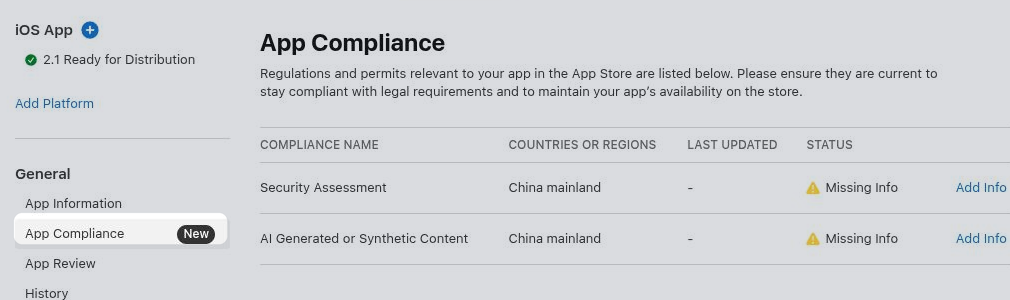
Security Assessment
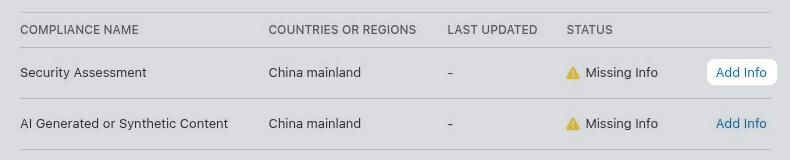
Click "Add Info" in the "Security Assessment" row.
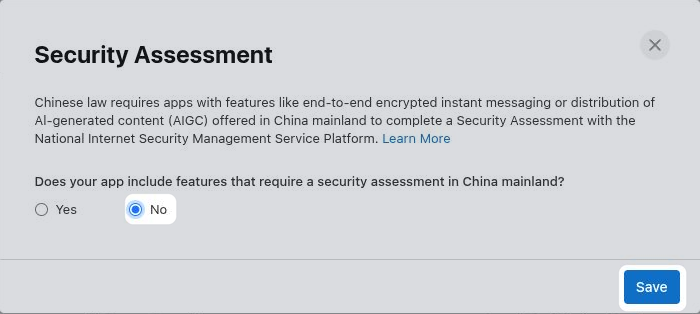
Select whether your app offers features in China that require a security assessment, such as end-to-end encrypted instant messaging or distribution of AI-generated content. In most cases the right answer is "No". If "Yes", fill out the additional information Apple requests before saving.
If you would need to select "Yes", but don't want to complete the security assessment, you can instead exclude China from your app's availability.
Configure app availability.
AI Generated or Synthetic Content
Click "Add Info" in the "AI Generated or Synthetic Content" row.
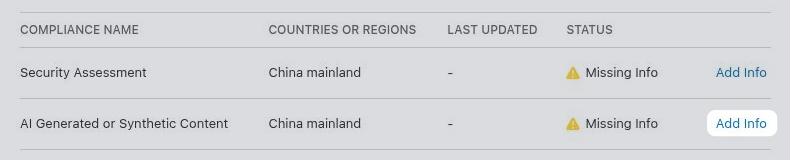
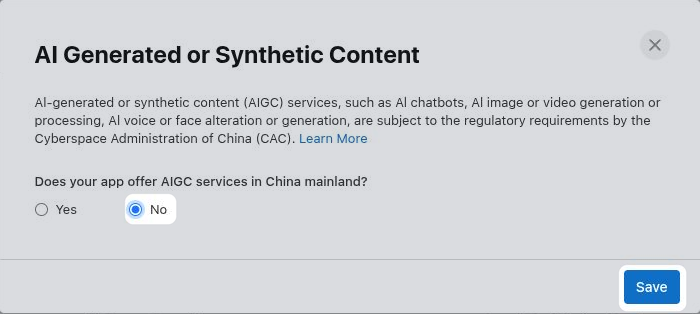
Select whether your app offers AI services in China, such as an AI chatbot, image or video generation, or voice or face alteration. In most cases the right answer is "No". If "Yes", fill out the additional information Apple requests before saving.
If you would need to select "Yes", but don't want to provide the required AI filing information, you can instead exclude China from your app's availability.
Configure app availability.