Je bent niet ingelogd. Deze gids kan alleen worden voltooid als je
je website hebt omgezet in een app met webtoapp.design.
Deze handleiding maakt deel uit van het publicatieproces van de app. Je moet deze alleen invullen als daarom wordt gevraagd in de
tijdlijn voor het publiceren van apps.
Open het overzicht van de App Store Connect app.Kies je app.
Click "App Compliance" in the menu on the left.
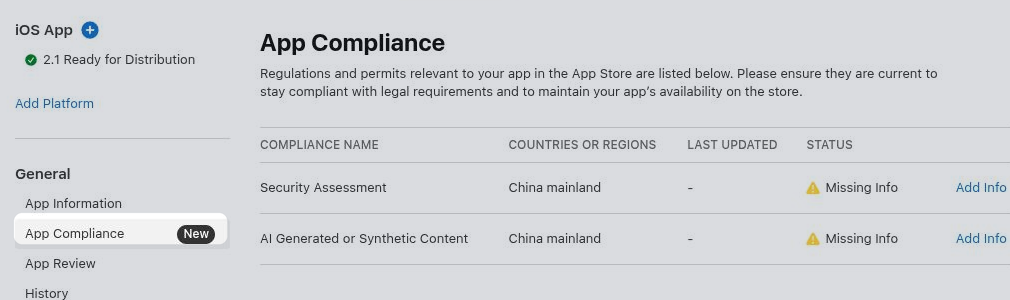
Security Assessment
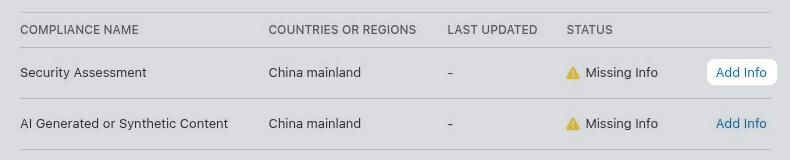
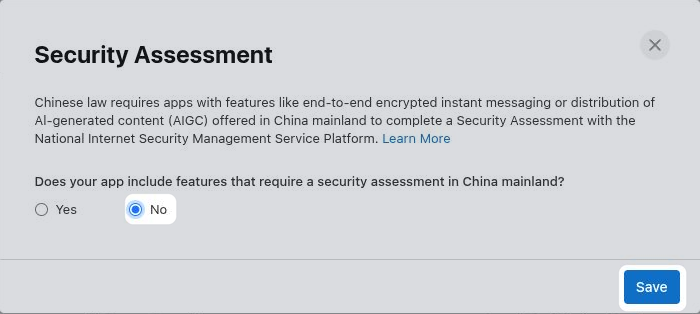
Click "Add Info" in the "Security Assessment" row.
Select whether your app offers features in China that require a security assessment, such as end-to-end encrypted instant messaging or distribution of AI-generated content. In most cases the right answer is "No". If "Yes", fill out the additional information Apple requests before saving.
If you would need to select "Yes", but don't want to complete the security assessment, you can instead exclude China from your app's availability.
Configure app availability.
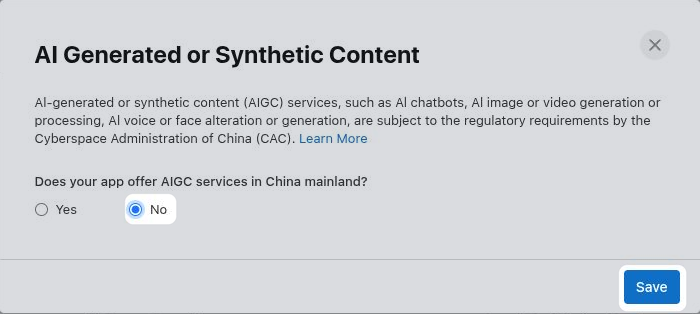
AI Generated or Synthetic Content
Click "Add Info" in the "AI Generated or Synthetic Content" row.
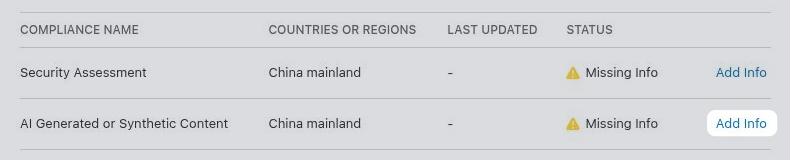
Select whether your app offers AI services in China, such as an AI chatbot, image or video generation, or voice or face alteration. In most cases the right answer is "No". If "Yes", fill out the additional information Apple requests before saving.
If you would need to select "Yes", but don't want to provide the required AI filing information, you can instead exclude China from your app's availability.
Configure app availability.