Você não está logado. Este guia só pode ser completado se você tiver
convertido seu website em um aplicativo com webtoapp.design.
Este guia faz parte do processo de publicação do aplicativo. Você só deve completá-lo quando solicitado no
cronograma de publicação de aplicativos.
Abra o painel de visão geral do aplicativo App Store Connect.Selecione seu aplicativo.
Click "App Compliance" in the menu on the left.
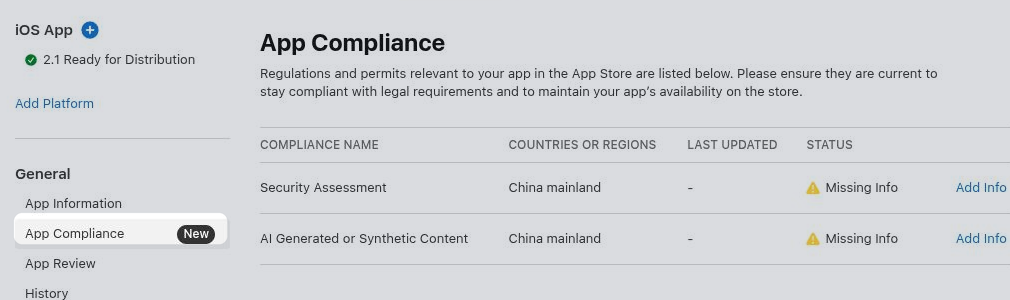
Security Assessment
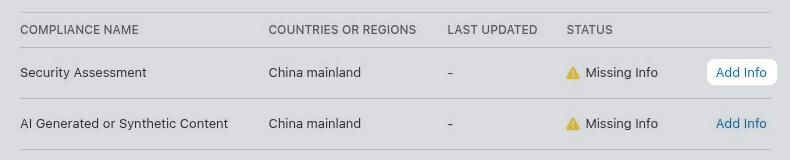
Click "Add Info" in the "Security Assessment" row.
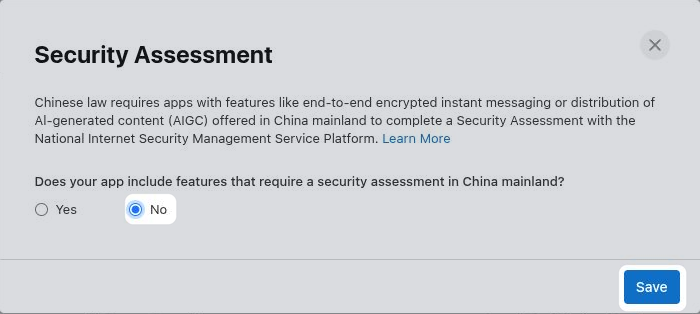
Select whether your app offers features in China that require a security assessment, such as end-to-end encrypted instant messaging or distribution of AI-generated content. In most cases the right answer is "No". If "Yes", fill out the additional information Apple requests before saving.
If you would need to select "Yes", but don't want to complete the security assessment, you can instead exclude China from your app's availability.
Configure app availability.
AI Generated or Synthetic Content
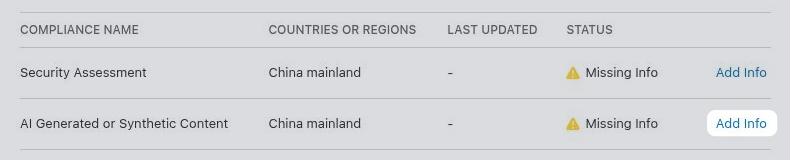
Click "Add Info" in the "AI Generated or Synthetic Content" row.
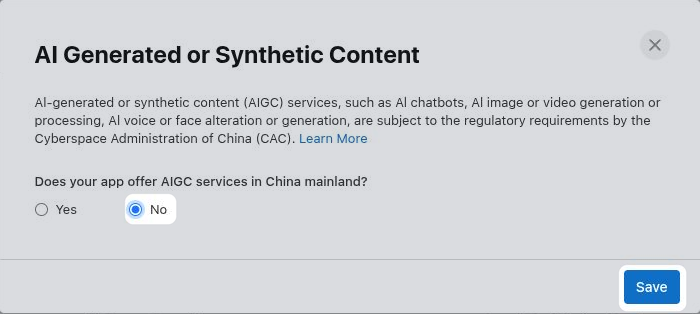
Select whether your app offers AI services in China, such as an AI chatbot, image or video generation, or voice or face alteration. In most cases the right answer is "No". If "Yes", fill out the additional information Apple requests before saving.
If you would need to select "Yes", but don't want to provide the required AI filing information, you can instead exclude China from your app's availability.
Configure app availability.