You are not logged in. This guide can only be completed if you have
converted your website into an app with webtoapp.design.
This guide is part of the app publishing process. You should only complete it when asked to in the
app publishing timeline.
Open the App Store Connect app overview.Select your app.
Click "App Compliance" in the menu on the left.
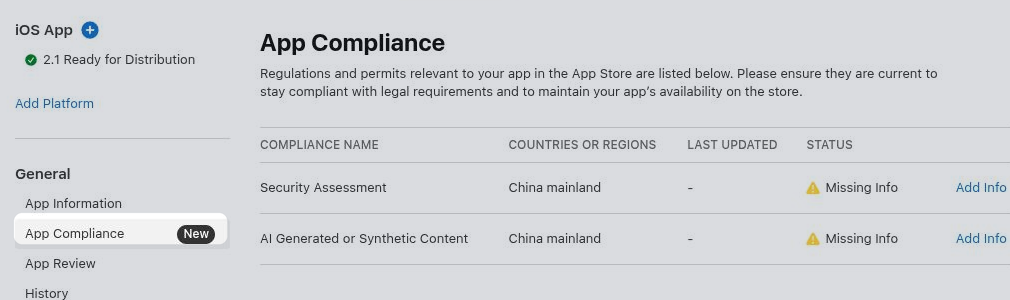
Security Assessment
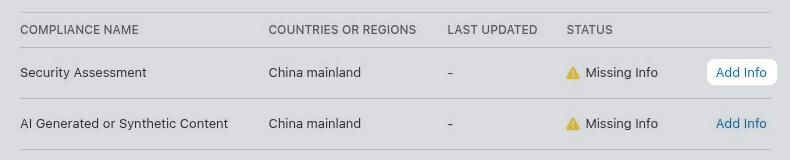
Click "Add Info" in the "Security Assessment" row.
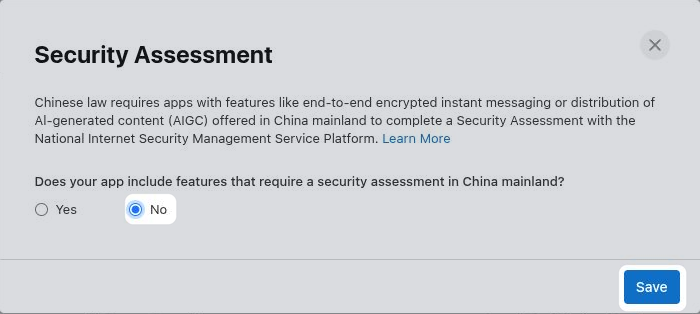
Select whether your app offers features in China that require a security assessment, such as end-to-end encrypted instant messaging or distribution of AI-generated content. In most cases the right answer is "No". If "Yes", fill out the additional information Apple requests before saving.
If you would need to select "Yes", but don't want to complete the security assessment, you can instead exclude China from your app's availability.
Configure app availability.
AI Generated or Synthetic Content
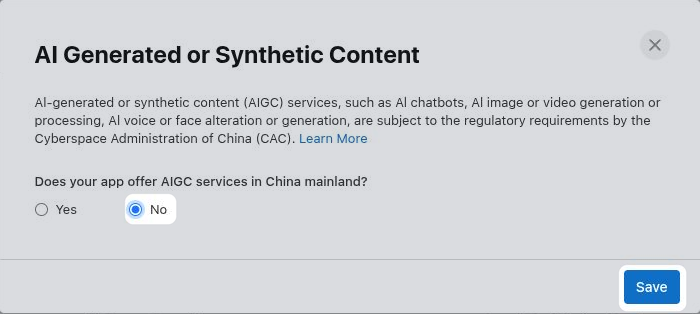
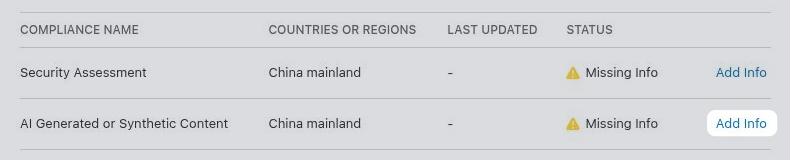
Click "Add Info" in the "AI Generated or Synthetic Content" row.
Select whether your app offers AI services in China, such as an AI chatbot, image or video generation, or voice or face alteration. In most cases the right answer is "No". If "Yes", fill out the additional information Apple requests before saving.
If you would need to select "Yes", but don't want to provide the required AI filing information, you can instead exclude China from your app's availability.
Configure app availability.