Vous n'êtes pas connecté. Ce guide ne peut être complété que si vous avez
converti votre site web en une application avec webtoapp.design
Ce guide fait partie du processus de publication de l'application. Vous ne devez le compléter que lorsqu'il vous est demandé de le faire dans la
chronologie du processus de publication de l'application.
Ouvrez la vue d’ensemble de l'application App Store Connect.Sélectionnez votre application.
Click "App Compliance" in the menu on the left.
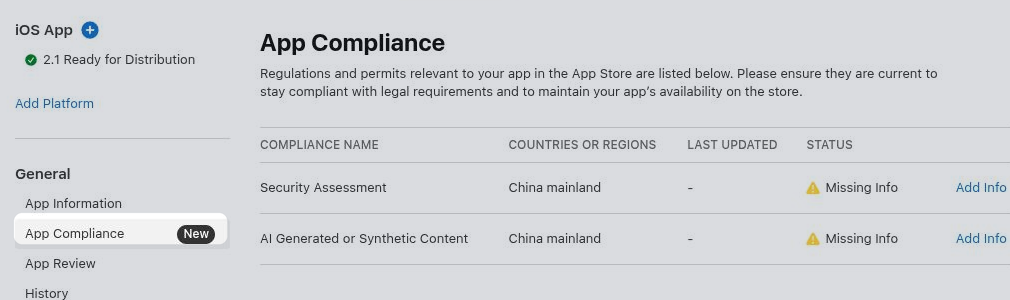
Security Assessment
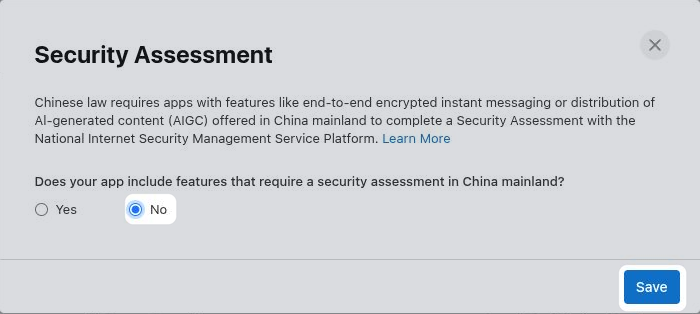
Click "Add Info" in the "Security Assessment" row.
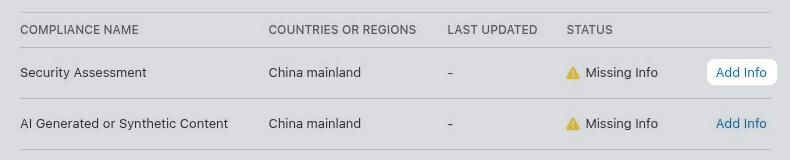
Select whether your app offers features in China that require a security assessment, such as end-to-end encrypted instant messaging or distribution of AI-generated content. In most cases the right answer is "No". If "Yes", fill out the additional information Apple requests before saving.
If you would need to select "Yes", but don't want to complete the security assessment, you can instead exclude China from your app's availability.
Configure app availability.
AI Generated or Synthetic Content
Click "Add Info" in the "AI Generated or Synthetic Content" row.
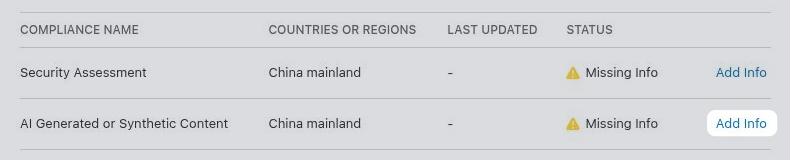
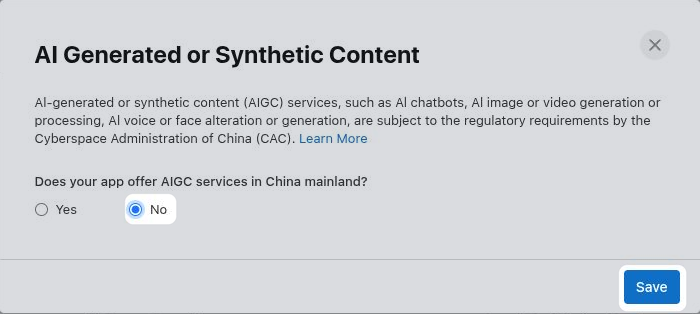
Select whether your app offers AI services in China, such as an AI chatbot, image or video generation, or voice or face alteration. In most cases the right answer is "No". If "Yes", fill out the additional information Apple requests before saving.
If you would need to select "Yes", but don't want to provide the required AI filing information, you can instead exclude China from your app's availability.
Configure app availability.