Migrate Individual Google/Apple Developer Account to Company Account
Posted on 8. March 2026 by Jan Bunk

Many developers initially create a personal developer account because it is faster and simpler to get started. Later, when launching apps for a business or after creating a company, it often makes sense to convert the account to a company or organization account.
Two common reasons for converting your developer account are branding and compliance. When using an organization account, your company name appears as the developer instead of your personal name. In addition, apps in regulated industries such as finance or healthcare can only be published by an organizational developer account.
Both Apple and Google Play allow you to convert an existing individual developer account to an organization account.
Convert your Individual Apple Developer Account to an Organization Account
Open the migration request form.
First, choose the country where your business is registered. Many countries are not listed; in that case, select "Not Listed" in the region that contains your country.
Next, fill out the organization name and website.
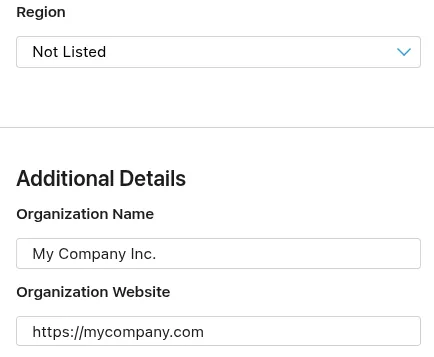
Afterwards, enter your company's DUNS number. You can follow this guide to find or request your D-U-N-S number.
Select that you are the founder or co-founder.
If you want to publish your apps under a different name than your company name, select that you use a fictitious name.
Select whether your company already has an Apple Developer account. Typically the answer should be no.
Lastly, you will need to specify what type of tax ID is associated with your current individual developer account.
Now submit the form. Apple will send you an e-mail to request documents that they need to verify the organization. Afterwards, your developer account will be converted. Once the conversion is complete, please also let us know the new name of your developer account so we can update our systems.
Convert your Google Play Developer Account to a Business Account
Google allows you to convert a personal Play Console account into an organization account directly inside the Play Console. The account owner must complete the process.
Begin by opening the "About You" section of your developer account.
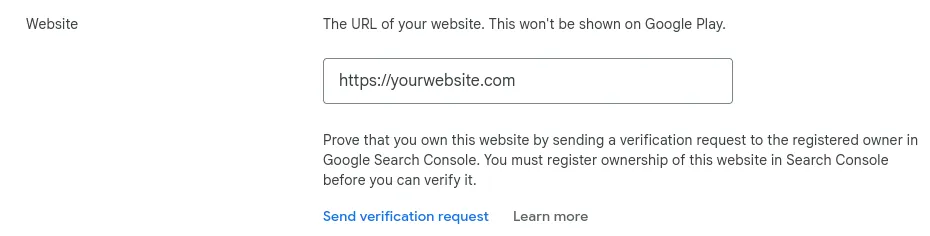
Click "Change account type".
Next click Create or Select payments profile.
If you already have a payments profile with your organization's information, select it and continue. Otherwise create a new payments profile.
When creating a new payments profile you must provide your organization’s D-U-N-S number. You can follow this guide to find or request your D-U-N-S number.
Next you must enter details about your organization like organization type (typically "Company or business") and the number of employees.
You'll also need to provide a contact e-mail address and phone number that must each be verified.
Save the payment profile.
Lastly, you might need to verify the identity of the business before you can publish apps again.
Related Articles

Turn a Base44 Website into an App for iOS and Android
You can wrap your Base44 website in a mobile app that can be published in the app stores. Updates automatically, no code needed.

Convert a Wix Website into an App for iOS and Android
You can turn your Wix website into an app and publish it in the app stores without rebuilding it. Updates automatically when you change the website, no programming needed.

How to: Request Access to the Production Track
To make your app publicly available in the Google Play Store, you need access to the production track. Here's how you can request it.

Jan Bunk
With a background in computer science, Jan founded webtoapp.design in 2019 and developed the underlying software to convert websites into apps. With experience and feedback gathered from hundreds of published apps, he strives to write easy to follow guides that help you with everything related to app creation, publishing and maintenance.