Google이나 Facebook 같은 타사 로그인은 제공하지만 Apple의 개인정보 보호 요구 사항을 충족하는 동등한 로그인 옵션(실질적으로는 'Apple로 로그인')이 없다는 이유로 Apple에서 앱을 거절했어요.
대부분의 웹사이트 기반 앱에서 가장 간단한 해결 방법은 앱 내부의 소셜 로그인 옵션을 제거하고 사용자가 웹사이트 자체 계정 시스템으로 로그인하게 하는 것이에요.
타사 로그인 버튼을 숨기세요
먼저 사용자가 이메일 주소와 비밀번호 등을 사용하여 소셜 로그인 제공업체 없이도 계정을 만들고 로그인할 수 있는지 확인해 주세요. 원래 Google이나 Facebook으로 가입한 기존 사용자도 기존 계정에 액세스할 수 있는 방법이 필요해요.
웹사이트에서 소셜 로그인 버튼을 제거하거나 앱 내부에서만 숨길 수 있어요. 앱의 웹사이트 맞춤 설정을 열어 주세요.웹사이트 요소 숨기기 선택자를 사용하여 웹사이트 요소를 숨기는 방법은 가이드에서 확인할 수 있어요.
로그인 페이지, 가입 페이지, 결제 페이지 및 로그인 팝업을 포함하여 사용자가 로그인하거나 계정을 만들 수 있는 모든 위치를 확인해 주세요. 자체 로그인 양식은 유지하면서 각 위치의 타사 로그인 옵션을 숨겨 주세요.
대안: 소셜 로그인 유지하기
소셜 로그인이 앱에 중요하다면 웹사이트에 Apple로 로그인을 통합할 수 있어요.
앱을 심사에 다시 제출하기
이것이 마지막 또는 유일한 앱 거부 사유였다면 다음 단계에 따라 앱을 심사에 다시 제출해 주세요:
화면 상단의 "Distribution" 또는 왼쪽 메뉴의 버전 번호를 클릭하여 버전 페이지로 이동하세요.

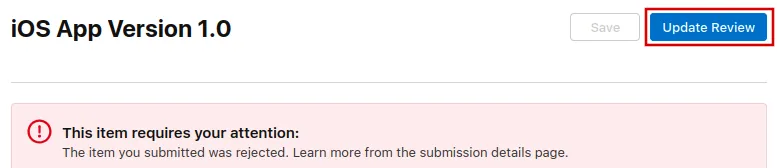
이제 오른쪽 상단의 "Update Review" 버튼을 클릭하세요.
그런 다음 열리는 다음 페이지에서 "Resubmit to App Review"를 클릭하세요.

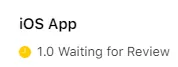
그러면 "심사 대기 중"이라고 표시돼요.