A Apple rejeitou o app porque ele oferece um login de terceiros, como Google ou Facebook, sem uma opção de login equivalente que atenda aos requisitos de privacidade da Apple (na prática, isso significa “Iniciar sessão com a Apple”).
Para a maioria dos apps baseados em sites, a solução mais fácil é remover as opções de login social dentro do app e permitir que os usuários entrem usando o próprio sistema de contas do seu site.
Oculte os botões de login de terceiros
Primeiro, confira se os usuários conseguem criar uma conta e entrar sem um provedor de login social, por exemplo, usando um endereço de e-mail e uma senha. Os usuários existentes que se cadastraram originalmente com o Google ou o Facebook também precisam de uma forma de acessar as contas que já possuem.
Você pode remover os botões de login social do site ou ocultá-los apenas dentro do app. Abra as configurações de personalização do site do seu app.Nosso guia explica como ocultar elementos do site usando os seletores para ocultar elementos.
Confira todos os lugares onde os usuários podem entrar ou criar uma conta, incluindo páginas de login, páginas de cadastro, páginas de finalização de compra e janelas pop-up de login. Oculte as opções de login de terceiros em cada um deles, mas mantenha disponível o formulário de login do seu próprio site.
Alternativa: mantenha o login social
Se o login social for importante para seu app, você pode integrar o recurso Iniciar sessão com a Apple ao seu site.
Enviando o app pra revisão de novo
Se esse foi o último (ou o único) motivo de rejeição do app, segue estes passos pra enviar teu app pra revisão de novo:
Vai pra página da versão clicando em "Distribution" no topo da tela ou no número da versão no menu à esquerda.

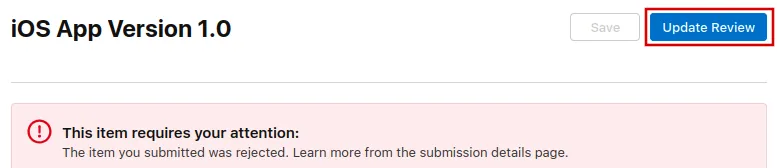
Agora clica no botão "Update Review" no canto superior direito.
Depois, clica em "Resubmit to App Review" na próxima página que abrir.

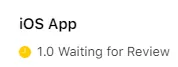
Deve então dizer "Waiting for Review".