Apple avvisade appen eftersom den erbjuder inloggning via en tredjepartstjänst, till exempel Google eller Facebook, utan ett likvärdigt inloggningsalternativ som uppfyller Apples integritetskrav (i praktiken innebär detta ”Logga in med Apple”).
För de flesta webbplatsbaserade appar är den enklaste lösningen att ta bort alternativen för social inloggning i appen och i stället låta användarna logga in med webbplatsens eget kontosystem.
Dölj knapparna för tredjepartsinloggning
Kontrollera först att användarna kan skapa ett konto och logga in utan en leverantör av social inloggning, till exempel med en e-postadress och ett lösenord. Befintliga användare som ursprungligen registrerade sig med Google eller Facebook behöver också ett sätt att komma åt sina befintliga konton.
Du kan ta bort knapparna för social inloggning från webbplatsen eller endast dölja dem i appen. Öppna inställningarna för anpassning av appens webbplats.Vår guide förklarar hur du döljer webbplatselement med hjälp av väljare för att dölja element.
Kontrollera alla platser där användare kan logga in eller skapa ett konto, inklusive inloggningssidor, registreringssidor, kassasidor och popup-fönster för inloggning. Dölj alternativen för tredjepartsinloggning på samtliga platser, men låt ditt eget inloggningsformulär vara tillgängligt.
Alternativ: Behåll social inloggning
Om social inloggning är viktig för din app kan du integrera Logga in med Apple på din webbplats.
Skicka in appen för granskning igen
Om detta var den sista eller enda orsaken till att appen avvisades, följ dessa steg för att skicka in din app för granskning igen:
Gå till versionssidan genom att klicka på ”Distribution” högst upp på skärmen eller versionsnumret i menyn till vänster.

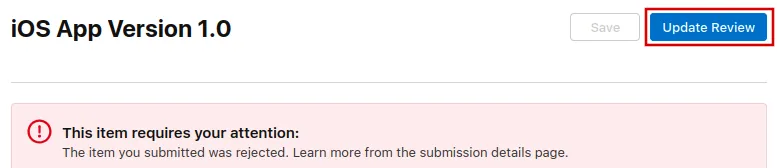
Klicka nu på knappen ”Update Review” uppe till höger.
Efteråt klickar du på ”Resubmit to App Review” på nästa sida som öppnas.

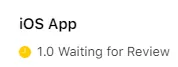
Det ska då stå "Waiting for Review" (väntar på granskning).