Apple ha rifiutato l'app perché offre un accesso tramite servizi di terze parti, come Google o Facebook, senza un'opzione di accesso equivalente che soddisfi i requisiti di Apple in materia di privacy (in pratica, "Accedi con Apple").
Per la maggior parte delle app basate su siti web, la soluzione più semplice è rimuovere dall'app le opzioni di accesso tramite social e consentire agli utenti di accedere usando il sistema di account del tuo sito web.
Nascondi i pulsanti di accesso tramite terze parti
Innanzitutto, assicurati che gli utenti possano creare un account e accedere senza un provider di accesso social, ad esempio usando un indirizzo e-mail e una password. Anche gli utenti esistenti che si sono registrati inizialmente con Google o Facebook devono poter accedere ai propri account esistenti.
Puoi rimuovere i pulsanti di accesso tramite social dal tuo sito web oppure nasconderli solo all'interno dell'app. Apri le impostazioni di personalizzazione del sito web della tua app.La nostra guida spiega come nascondere gli elementi del sito web usando i selettori Nascondi elemento.
Controlla tutti i punti in cui gli utenti possono accedere o creare un account, incluse le pagine di accesso, le pagine di registrazione, le pagine di pagamento e i popup di accesso. Nascondi le opzioni di accesso tramite terze parti in ciascuno di essi, mantenendo disponibile il tuo modulo di accesso.
Alternativa: mantieni l'accesso tramite social
Se l'accesso tramite social è importante per la tua app, puoi integrare Accedi con Apple nel tuo sito web.
Inviare di nuovo l’app in revisione
Se questo era l’ultimo o l’unico motivo di rifiuto dell’app, segui questi passaggi per inviare di nuovo la tua app in revisione:
Vai alla pagina della versione cliccando "Distribution" in alto sullo schermo oppure il numero di versione nel menu a sinistra.

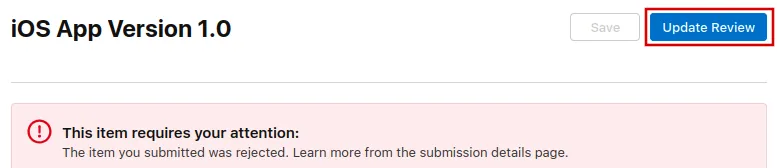
Ora clicca il pulsante "Update Review" in alto a destra.
Dopo, nella pagina successiva che si apre, clicca "Resubmit to App Review".

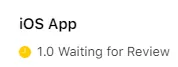
Dovrebbe poi apparire la scritta "In attesa di revisione".