Apple rejected the app because it offers a third-party login, such as Google or Facebook, without an equivalent login option that meets Apple's privacy requirements (practically, this is "Sign in with Apple").
For most website-based apps, the easiest solution is to remove the social login options inside the app and let users sign in with your website's own account system instead.
Hide the Third-Party Login Buttons
First, make sure users can create an account and sign in without a social login provider, for example with an email address and password. Existing users who originally signed up with Google or Facebook also need a way to access their existing accounts.
You can remove the social login buttons from your website or hide them only inside the app. Open your app's website customization settings.Our guide explains how to hide website elements using Hide Element Selectors.
Check all places where users can sign in or create an account, including login pages, registration pages, checkout pages, and login popups. Hide the third-party login options in each of them while keeping your own login form available.
Alternative: Keep Social Login
If social login is important to your app, you can integrate Sign in with Apple on your website.
Submitting the app for review again
If this was the last or only app rejection reason, please follow these steps to submit your app for review again:
Go to the version page by clicking "Distribution" at the top of your screen or the version number in the menu on the left.

Now click the "Update Review" button at the top right.
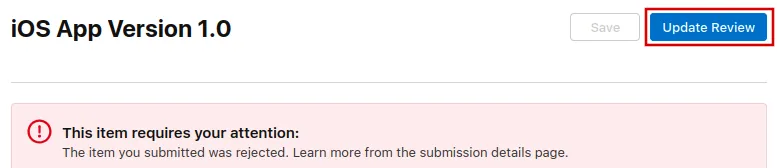
Afterwards, click "Resubmit to App Review" on the next page that opens.

It should then say "Waiting for Review".