Apple hat die App abgelehnt, weil sie eine Anmeldung über einen Drittanbieter wie Google oder Facebook anbietet, ohne eine gleichwertige Anmeldeoption bereitzustellen, die Apples Datenschutzanforderungen erfüllt – in der Praxis ist dies „Mit Apple anmelden“.
Bei den meisten Website-basierten Apps besteht die einfachste Lösung darin, die Social-Login-Optionen innerhalb der App zu entfernen und Nutzer stattdessen über das eigene Kontosystem deiner Website anmelden zu lassen.
Blende die Anmeldeschaltflächen von Drittanbietern aus
Stelle zunächst sicher, dass Nutzer auch ohne einen Social-Login-Anbieter ein Konto erstellen und sich anmelden können, beispielsweise mit einer E-Mail-Adresse und einem Passwort. Bestehende Nutzer, die sich ursprünglich über Google oder Facebook registriert haben, benötigen ebenfalls eine Möglichkeit, auf ihre vorhandenen Konten zuzugreifen.
Du kannst die Social-Login-Schaltflächen von deiner Website entfernen oder sie nur innerhalb der App ausblenden. Öffne die Einstellungen zur Website-Anpassung deiner App.In unserer Anleitung erfährst du, wie du Website-Elemente mithilfe von „Hide Element Selectors“ ausblendest.
Prüfe alle Stellen, an denen Nutzer sich anmelden oder ein Konto erstellen können, einschließlich Anmeldeseiten, Registrierungsseiten, Bezahlseiten und Anmelde-Pop-ups. Blende die Anmeldeoptionen von Drittanbietern an allen diesen Stellen aus, während dein eigenes Anmeldeformular verfügbar bleibt.
Alternative: Social Login beibehalten
Wenn Social Login für deine App wichtig ist, kannst du „Mit Apple anmelden“ in deine Website integrieren.
Die App erneut zur Prüfung einreichen
Wenn das der letzte oder einzige Ablehnungsgrund war, folge bitte diesen Schritten, um deine App erneut zur Prüfung einzureichen:
Gehe zur Versionsseite, indem du oben auf dem Bildschirm auf „Distribution“ klickst oder im Menü links auf die Versionsnummer.

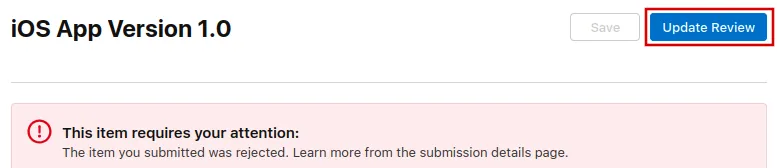
Klicke jetzt oben rechts auf den Button „Update Review“.
Klicke danach auf der nächsten Seite, die sich öffnet, auf „Resubmit to App Review“.

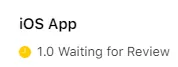
Dort sollte dann "Warten auf Überprüfung" stehen.