Apple odrzuca aplikacje, które pozwalają użytkownikom tworzyć konto, ale nie umożliwiają im rozpoczęcia procesu usunięcia konta z poziomu aplikacji.
Najlepsze rozwiązanie: umożliw usuwanie konta na swojej stronie
W przypadku aplikacji opartych na stronach WWW najlepszym rozwiązaniem jest zwykle dodanie usuwania konta bezpośrednio na Twojej stronie. Dzięki temu funkcja działa tak samo w przeglądarce i w aplikacji.
Idealna konfiguracja to opcja samodzielnego usunięcia konta w panelu konta użytkownika. Jeśli teraz jest to zbyt trudne do zrobienia, może też zadziałać osobny formularz prośby o usunięcie konta.
Jeśli używasz formularza, musi on dotyczyć konkretnie usuwania konta. Apple nie akceptuje ogólnego formularza wsparcia, gdzie usunięcie konta jest tylko jednym z wielu tematów.
Alternatywne rozwiązanie: użyj wbudowanej funkcji w aplikacji
Możesz też użyć wbudowanej w aplikacji funkcji usuwania konta. Więcej informacji o tym, jak ją włączyć, znajdziesz tutaj. Upewnij się tylko, że ekran ustawień zawierający funkcję usuwania konta jest dostępny w Twojej aplikacji.
Powiedz Apple, gdzie to znaleźć
Po dodaniu funkcji usuwania konta odpisz Apple i powiedz im dokładnie, gdzie ją znaleźć w aplikacji.
Jeśli używasz wbudowanej funkcji usuwania konta, wyjaśnienie może wyglądać mniej więcej tak:
- Jeśli używasz układu z szufladą (drawer): Funkcję usuwania konta znajdziesz tutaj: Menu boczne -> Ustawienia -> Usuń dane
- Jeśli używasz układu z paskiem nawigacji: Funkcję usuwania konta znajdziesz w ustawieniach (na dole po prawej na pasku nawigacji)
Jeśli dodałeś(-aś) funkcję usuwania konta na swojej stronie, wyjaśnij, jak do niej przejść.
Jeśli Apple odrzuci aplikację drugi raz, bo nadal nie mogą znaleźć tej funkcji mimo że opisałeś(-aś) kroki, wyślij im nagranie ekranu, na którym przechodzisz w aplikacji do funkcji usuwania konta.
Aby wysłać wiadomość do Apple, kliknij „App Review”.
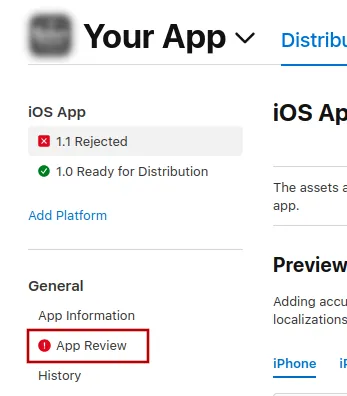
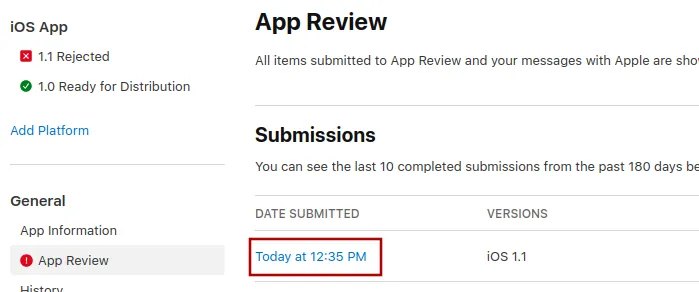
Tam wybierz najnowsze zgłoszenie.
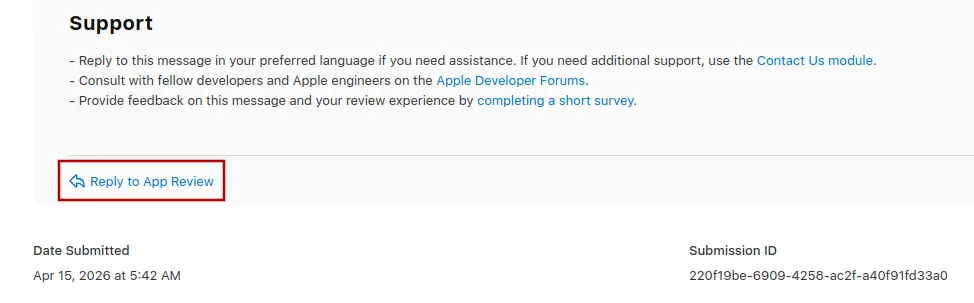
Teraz możesz przewinąć na dół wiadomości o odrzuceniu od Apple i kliknąć „Reply to App Review”, a następnie napisać wiadomość w wyskakującym oknie, które się otworzy.
Ponowne wysłanie aplikacji do weryfikacji
Jeśli to był ostatni lub jedyny powód odrzucenia aplikacji, wykonaj te kroki, aby ponownie wysłać aplikację do weryfikacji:
Przejdź na stronę wersji, klikając „Distribution” u góry ekranu albo numer wersji w menu po lewej.

Teraz kliknij przycisk „Update Review” w prawym górnym rogu.
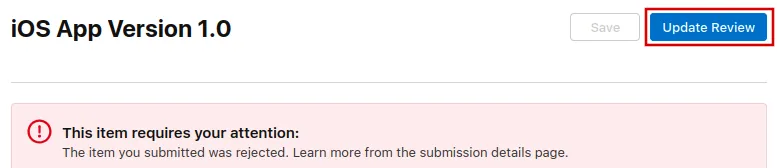
Następnie kliknij „Resubmit to App Review” na kolejnej stronie, która się otworzy.

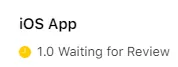
Powinno się wtedy pojawić "Oczekiwanie na recenzję".