Apple rejects apps that allow users to create an account but do not also let them initiate account deletion from inside the app.
Best Solution: Offer Account Deletion on Your Website
For apps based on websites, the best solution is usually to add account deletion to your website itself. That way the feature works the same way on the web and in the app.
The ideal setup is a self-serve delete account option in the user's account area. If that is too difficult to build right now, a dedicated account deletion request form can also work.
If you use a request form, it must be specifically for account deletion. Apple doesn't accept a general support form where account deletion is just one of many topics.
Alternative Solution: Use the Built-In App Feature
You can also use the app's built-in account deletion feature. You can find more information about how to enable it here. Just make sure the settings screen that contains the account deletion feature is accessible in your app.
Tell Apple Where to Find It
After adding the account deletion feature, reply to Apple and tell them exactly where to find it in the app.
If you're using the app's built-in account deletion feature, the explanation can be something like this:
- If you're using the drawer layout: You can find the delete account feature here: Side Menu -> Settings -> Delete Data
- If you're using the navigation bar layout: You can find the delete account feature in the settings (bottom right in the navigation bar)
If you added the account deletion feature to your website, explain how to navigate to it.
If Apple rejected the app a second time because they still cannot find the feature even though you described the steps, send them a screen recording of you navigating to the delete account feature in the app.
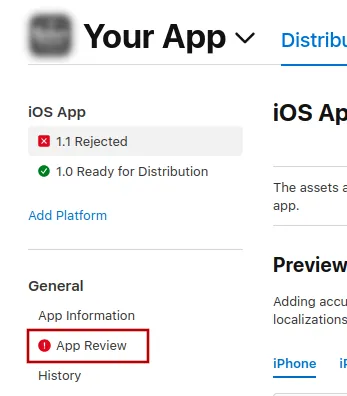
To send Apple a message, click "App Review".
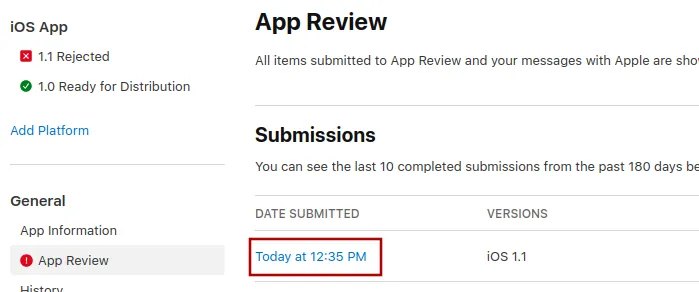
There, select the latest submission.
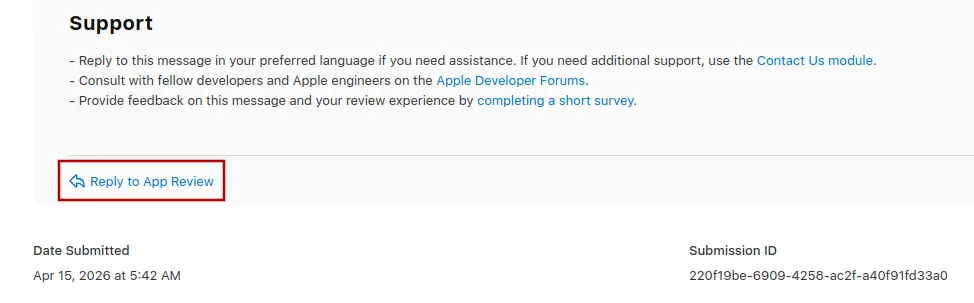
Now you can scroll to the bottom of Apple's rejection message and click "Reply to App Review" and write your message in the popup that opens.
Submitting the app for review again
If this was the last or only app rejection reason, please follow these steps to submit your app for review again:
Go to the version page by clicking "Distribution" at the top of your screen or the version number in the menu on the left.

Now click the "Update Review" button at the top right.
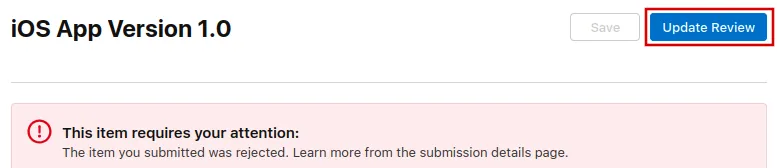
Afterwards, click "Resubmit to App Review" on the next page that opens.

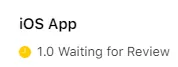
It should then say "Waiting for Review".