Open the Google Play Console. In there you'll be asked to verify your or your organization's identity.
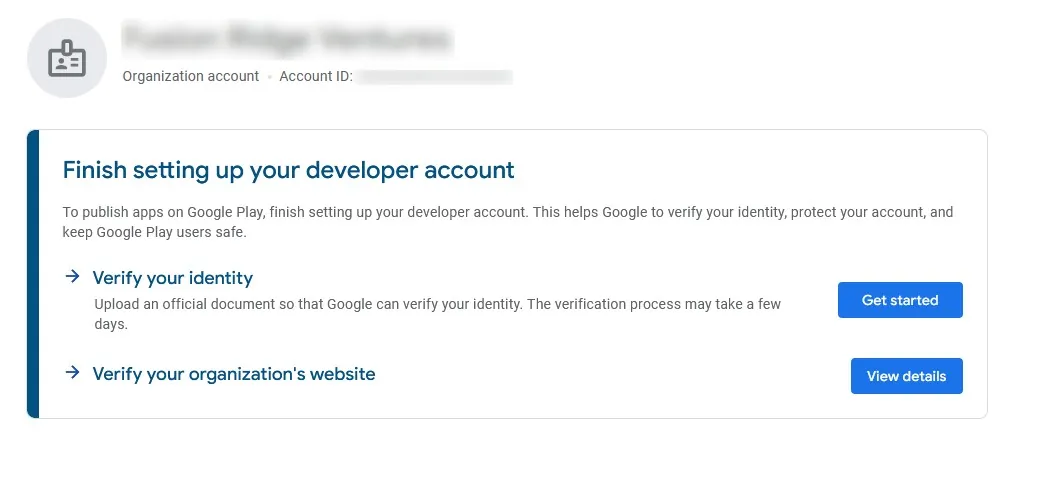
Google always requests different methods of verification. Below you can find some information about the verification methods we've seen so far. Of course you only need to complete the verifications that Google asks from you in your Google Play Console.
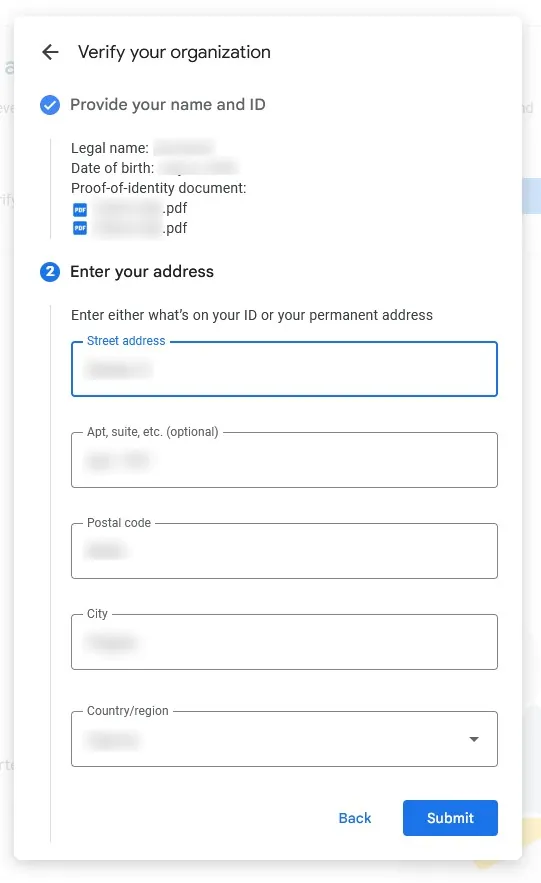
Verify your identity
Here you'll need to upload some form of identification that contains your name, date of birth and address.
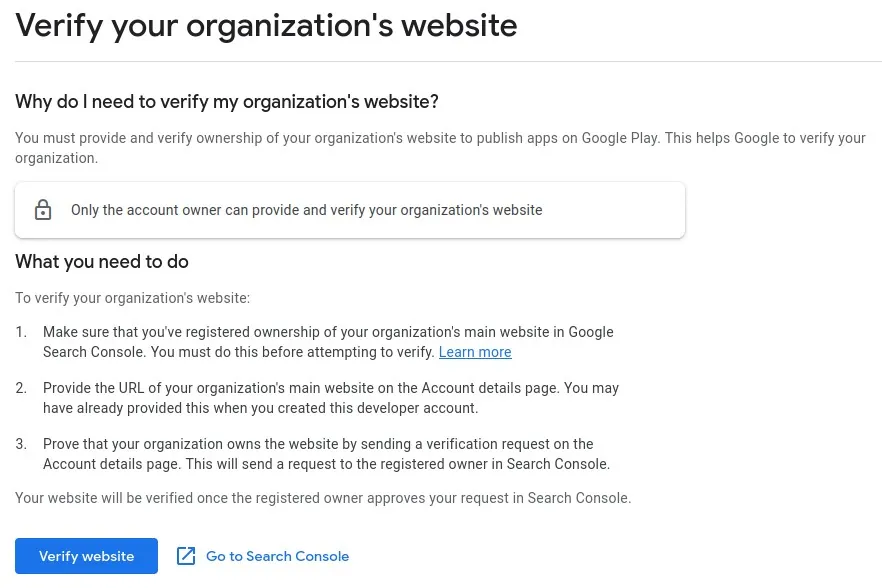
Verify your website
To verify that you own your website, you need to first register it in the Google Search Console. Since the Google Search Console allows you to view lots of information about how your website appears on Google, many people have already verified their website there already. If you haven't registered your website in the Google Search Console, you can do so here.
As soon as your website is verified in the Google Search Console, you can click "Verify website" in the Google Play Console, which will then send a verification request to the Google Search Console. You should receive an e-mail from the Search Console with a link to accept the verification request. Alternatively, you can find the request here.
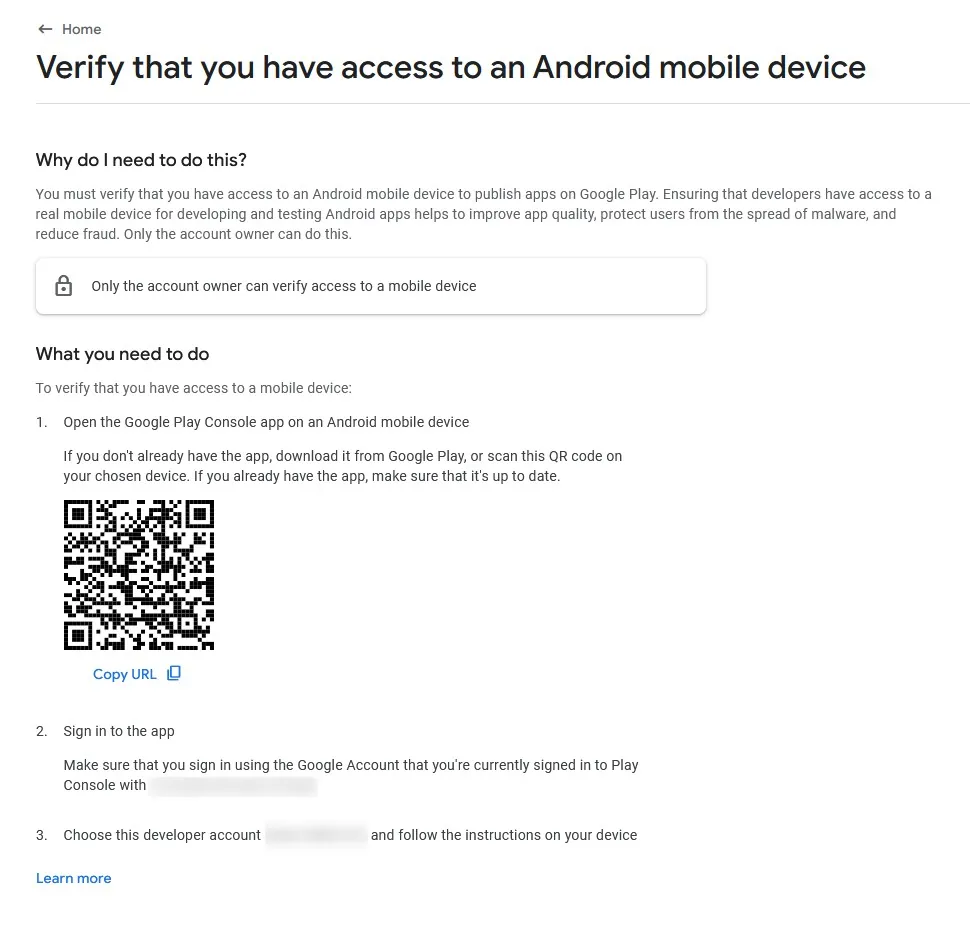
Verify that you have access to an Android mobile device
Here you'll need to download the Google Play Console app from the Google Play Store on an Android device. Make sure you're logged into the Google account with which you created the developer account.
If you don't have an Android device, please borrow one from a friend or family member and perform the steps on their device. The device is only required for the verification step and won't be needed afterwards. If you can't borrow a device either, your best option might be to buy a cheap Android device. For example Xiaomi has some very affordable models, some costing less than 100€.
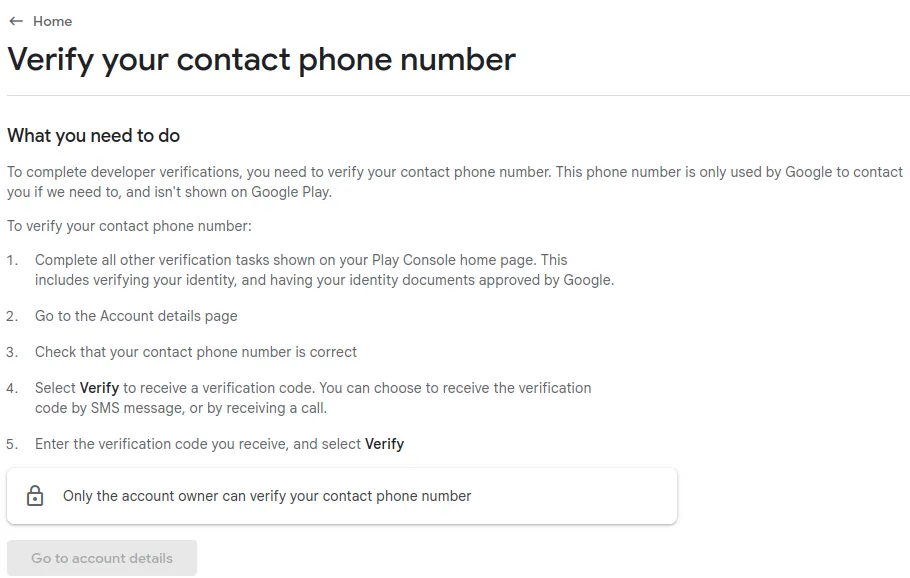
Verify your contact phone number
Click the "Go to account details" button and verify your phone number by receiving a code via SMS.
After Completing Verification
After submitting your information, some types of verification will require you to wait a couple of days until Google has checked your information.
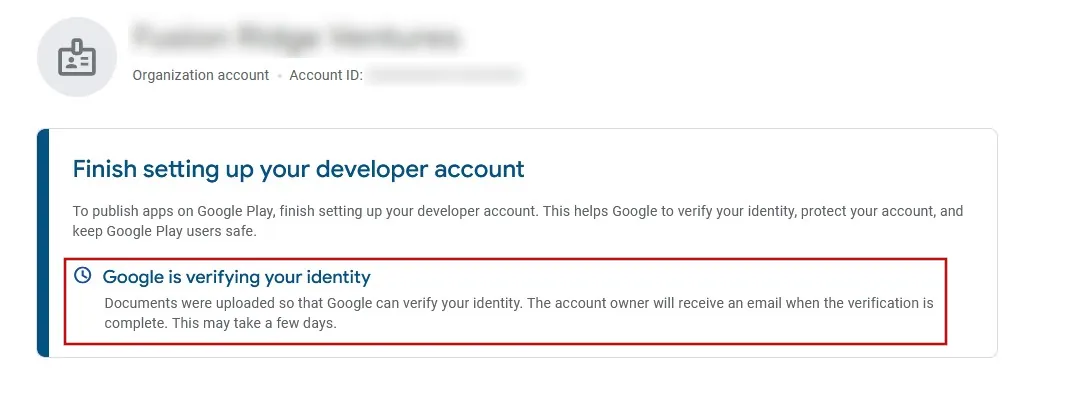
Some verification steps need to be completed one after the other. For example you might first need to verify your identity, wait for this verification to be approved and then you can verify your phone number. Please complete all verification steps before you continue with the next guides by clicking the button below.
I've completed all the steps in this guideOnce you've completed all the steps in this guide, please click this button so you can continue with the next guides.